
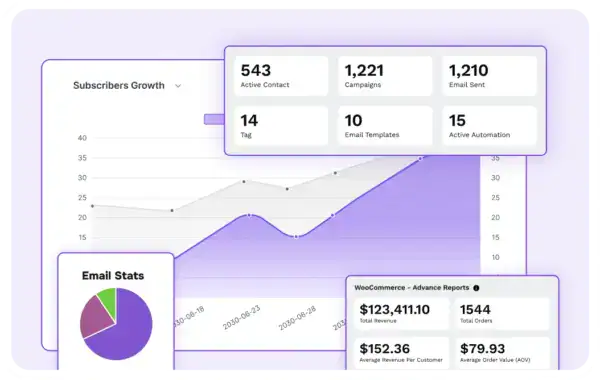
A fundamental part of running any community is your database of users.
But even more basic than that is the ability to reach people: to communicate with potential members and customers, track what’s working, and convert interest into engagement — and eventually into sales.
At its heart, FluentCRM is an email marketing and automation tool, similar to Mailchimp or MailerLite. It’s not a full-blown, enterprise-style CRM in the sales-team sense of the word (having worked on a multi-million-pound Siebel implementation back in the noughties, I have no intention of reliving that particular joy).
What it does give us is all the mailing list, automation and funnel goodness you’d expect from the market leaders — without the enterprise headache.
So yes, you could just use one of those external tools. But there are two very good reasons we don’t.
1. Cost
As your audience grows, or as your automations become more sophisticated, monthly costs can spiral alarmingly (Mailchimp, I’m looking at you).
FluentCRM isn’t necessarily dramatically cheaper as a like-for-like replacement, because it actually does more than that. But it avoids the trap of being lured in by “free” plans that become expensive just as your business starts to grow.
2. Integration
Because FluentCRM lives inside your website, it can seamlessly track what subscribers do: the pages they visit, the links they click, the purchases they make — and even control access to your content based on what’s happening in the database.
* There is a decision to be made about whether FluentCRM (and your community) should live on your main site or a subdomain. That’s something worth discussing with your expert — and probably the subject of a future Geek Zone post.
Integration Magic
It’s that second point, integration, that really makes FluentCRM our tool of choice.
If you’ve ever run a mailing list before, you’ll be familiar with tags: labels applied to subscribers based on their interests or how they joined your list.
With FluentCRM, we can go much further.
We can apply tags automatically based on:
- Links they click
- Pages they visit
- Actions they take
- Products they buy
These actions become triggers. And those triggers can then be used to:
- Send targeted emails
- Unlock specific content
- Grant (or revoke) access to parts of your community
- Move people through automated funnels
Everything talks to everything else, without having to add even more external services like Zapier and a whole load of sticky tape.
A Simple Funnel
Let’s say you have a simple funnel, kicked off by a visitor asking for a copy of your free ebook. In exchange for the ebook, they sign up to your mailing list and get tagged “ebook“.
An automation emails them a few days later: “Did you enjoy the ebook?”
If they did, they might be interested in your workshop. Just click the link to find out more!
- Clicking that link adds the tag “workshop page visited“
- Buying a ticket adds “workshop attendee“
More cleverness follows:
- A later follow-up email for people who visited but didn’t buy
- Automatically give attendees two weeks of free community access
- Control that access with a “trial” tag: add access, wait two weeks, remove access
And of course, because your community is brilliant, they decide to join properly. Another tag change, and you’ve got recurring income.
(Alright, maybe that’s a slightly optimistic version, there are usually more steps and more interaction, but you get the idea.)
All those triggers are picked up by FluentCRM and it then schedules the actions that take place. It’s a lot more than just a mailing list plugin.
Geeky Bit
If you’re interested, here’s a little video of FluentCRM being installed for this site, and a brief run-through of the defaults we select or changes we make during a typical install for our clients.






Community Discussion
Join the Discussion
or explore Build